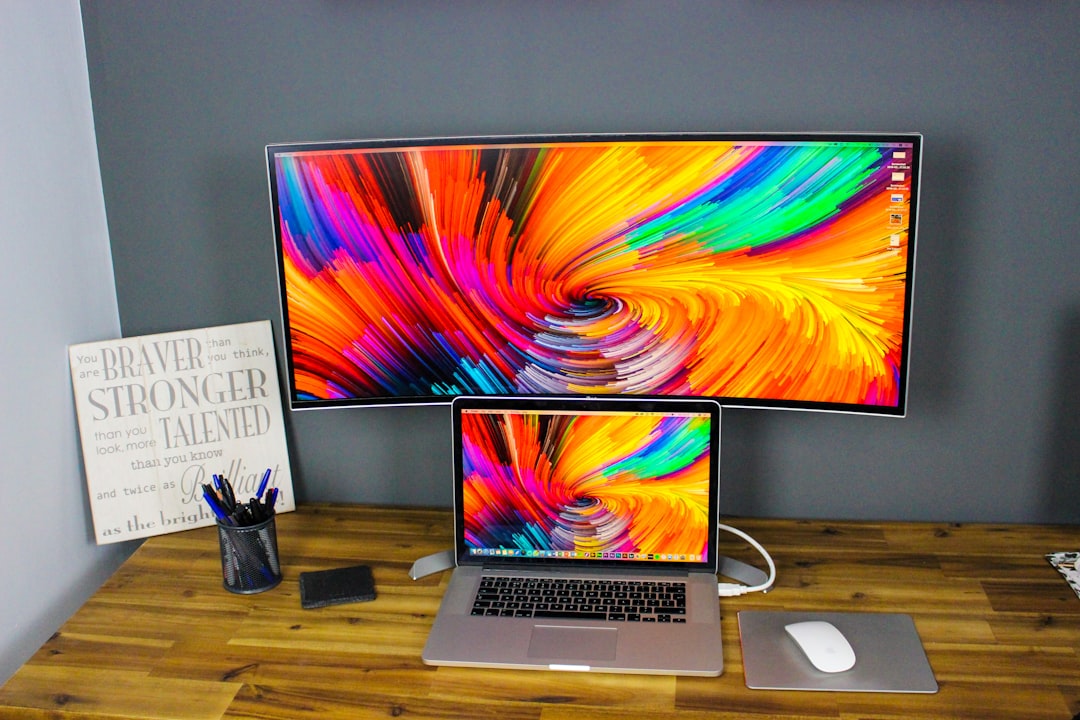
Best Ultrawide Monitors for Productivity in 2026
Disclosure: We earn a small commission if you buy through our links — at no extra cost to you.
Looking for the best monitors for professionals? We tested and compared the top ultrawide options based on performance, price, and real-world productivity use — so you can stop switching windows and start getting more done.
The LG 34WN80C-B delivers a stunning 34-inch curved IPS display with Thunderbolt 3 connectivity, making it the ultimate multitasking powerhouse for professionals who demand color accuracy and seamless workflow integration.
Quick Picks:
• Best Overall: LG 34WN80C-B UltraWide Monitor
• Best Budget: AOC CU34G2X 34-Inch Curved Ultrawide
• Best for Professionals: Dell UltraSharp U3423WE
• Best Value: Samsung 34-Inch ViewFinity S65UA
• Best Premium: LG 40WP95C-W 40-Inch UltraWide
Why Professionals Need the Right Monitors
In today’s hybrid and remote work environment, screen real estate is no longer a luxury — it’s a competitive advantage. Professionals who juggle spreadsheets, video calls, code editors, design tools, and communication platforms simultaneously simply cannot afford to work on a standard 27-inch monitor. Every alt-tab or window-switching moment is a micro-interruption, and according to a University of California Irvine study, it takes an average of 23 minutes to fully regain focus after an interruption. An ultrawide monitor eliminates the majority of those interruptions by giving you the space to keep everything visible at once.
Choosing the wrong ultrawide monitor — one with poor color accuracy, laggy response times, or incompatible connectivity — can actually hurt your productivity instead of helping it. The right monitor needs to match your workload: graphic designers need Delta E color accuracy, developers need sharp pixel density, and financial analysts need vast screen real estate for multi-column data. Getting this choice right the first time saves you hundreds of dollars and weeks of frustration. Below, we’ve narrowed the field to five monitors that genuinely earn their place in a professional setup.
Also, if you’re building out your full productivity stack, see our AI tools guides for professionals to pair your new monitor with the best software tools available.
Quick Comparison
| Product | Best For | Price Range | Our Rating |
|---|---|---|---|
| LG 34WN80C-B UltraWide | Best Overall | $500–$650 | ⭐⭐⭐⭐⭐ 4.8/5 |
| AOC CU34G2X 34-Inch Curved | Best Budget | $300–$380 | ⭐⭐⭐⭐ 4.4/5 |
| Dell UltraSharp U3423WE | Best for Professionals | $750–$900 | ⭐⭐⭐⭐⭐ 4.9/5 |
| Samsung 34-Inch ViewFinity S65UA | Best Value | $420–$550 | ⭐⭐⭐⭐ 4.6/5 |
| LG 40WP95C-W 40-Inch UltraWide | Best Premium | $900–$1,000 | ⭐⭐⭐⭐⭐ 4.9/5 |
1. LG 34WN80C-B UltraWide Monitor — Best Overall
The LG 34WN80C-B is our top-rated ultrawide monitor for professionals who need color accuracy, USB-C convenience, and a reliable everyday workhorse that handles everything from spreadsheets to video editing.
Why it’s great:
- 34-inch IPS curved panel with 99% sRGB coverage delivers accurate, vibrant colors for design and content work
- Thunderbolt 3 / USB-C 96W power delivery means you can charge your laptop and connect with a single cable, keeping your desk clean
- Nano IPS technology provides wide viewing angles and consistent brightness across the full ultrawide canvas
Downsides:
- Refresh rate tops out at 60Hz, which is fine for productivity but not ideal if you also want to game
- HDR performance is modest — serious video editors may want to step up to the premium tier
Best for: Creative professionals, marketers, and remote workers who need reliable color accuracy and single-cable desk setups.
Price range: $500–$650
👉 Check latest price & reviews on Amazon →
2. AOC CU34G2X 34-Inch Curved Ultrawide — Best Budget
The AOC CU34G2X proves you don’t have to spend a fortune to get a genuinely capable ultrawide productivity monitor — it punches well above its price tag.
Why it’s great:
- 3440×1440 WQHD resolution on a 34-inch VA panel gives you crisp text and excellent contrast for long reading and writing sessions
- 144Hz refresh rate makes window animations and scrolling buttery smooth — a surprising bonus at this price point
- Affordable entry price makes it ideal for professionals building their first dedicated home office setup without overextending the budget
Downsides:
- VA panel has narrower viewing angles than IPS alternatives — side-viewing is noticeably worse
- Color accuracy out of the box is not calibrated for professional design work without manual adjustment
Best for: Developers, writers, analysts, and entry-level professionals who want a wide workspace without breaking the $400 mark.
Price range: $300–$380
👉 Check latest price & reviews on Amazon →
3. Dell UltraSharp U3423WE — Best for Professionals
The Dell UltraSharp U3423WE is the gold standard for corporate professionals and power users who demand the absolute best in color fidelity, connectivity, and build quality — and are willing to pay for it.
Why it’s great:
- Factory-calibrated IPS Black panel with Delta E less than 2 color accuracy makes it a favorite among designers, photo editors, and video producers
- Thunderbolt 4 hub with 90W laptop charging, multiple USB-A/C ports, and RJ45 Ethernet turns this monitor into a complete docking station
- IPS Black technology delivers 2,000:1 contrast ratio — double that of standard IPS — for deep blacks and superior shadow detail in dark-mode interfaces
Downsides:
- Premium price puts it near the top of our $300–$1,000 range — not a casual purchase
- Large footprint and stand require a substantial desk to make the most of it
Best for: Creative directors, UX designers, data scientists, and senior professionals who use their monitor as the command center of their entire workstation.
Price range: $750–$900
👉 Check latest price & reviews on Amazon →
4. Samsung 34-Inch ViewFinity S65UA — Best Value
The Samsung ViewFinity S65UA hits the sweet spot between price and performance, offering premium-feeling features at a mid-range price that makes it exceptionally hard to pass up.
Why it’s great:
- USB-C 90W power delivery with a clean, modern stand design integrates perfectly into any professional workspace aesthetic
- WQHD 3440×1440 resolution with Samsung’s QLED color technology produces vivid, punchy visuals that make dashboards and design work genuinely enjoyable
- Picture-by-Picture (PBP) mode lets you display two separate full-quality inputs side by side — ideal for professionals managing multiple devices or virtual machines
Downsides:
- 60Hz refresh rate is standard — nothing exciting for those who also want casual gaming capability
- Local dimming is limited compared to premium competitors, so HDR content is good but not reference-quality
Best for: Finance professionals, project managers, and business analysts who need expansive real estate with reliable connectivity at a sensible price.
Price range: $420–$550
👉 Check latest price & reviews on Amazon →
5. LG 40WP95C-W 40-Inch UltraWide — Best Premium
If you’ve ever wanted a monitor so wide it replaces a dual-screen setup entirely, the LG 40WP95C-W is the ultimate expression of ultrawide productivity — a true desktop revolution for elite professionals.
Why it’s great:
- Massive 40-inch 5K2K Nano IPS display with 21:9 aspect ratio gives you more usable workspace than most dual 27-inch setups combined
- Thunderbolt 4 with 96W charging, built-in KVM switch, and USB hub makes it the definitive docking solution for professionals who switch between a laptop and desktop
- VESA DisplayHDR 400 certification and 98% DCI-P3 wide color gamut ensure that every pixel is rendered with cinema-grade accuracy for video and design work
Downsides:
- At the top of our price range, this is a significant investment — best justified by professionals with demanding, revenue-generating workflows
- The sheer size requires a large, deep desk — it won’t fit comfortably in a cramped or small office environment
Best for: Executive-level professionals, video editors, architects, and anyone running a full multi-application workflow who wants to eliminate every possible interruption in their workday.
Price range: $900–$1,000
👉 Check latest price & reviews on Amazon →
Final Recommendation
If you want the best overall performance → LG 34WN80C-B UltraWide Monitor — it combines color accuracy, single-cable USB-C connectivity, and a proven track record that makes it the safest, smartest buy for most professionals in 2026.
👉 Check latest price on Amazon →
If you’re on a budget → AOC CU34G2X 34-Inch Curved Ultrawide — delivers 3440×1440 resolution and a 144Hz panel for under $380, making it one of the most value-packed ultrawide monitors available right now.
How to Choose the Best Ultrawide Monitor for Productivity
When choosing an ultrawide monitor for professionals, consider these critical factors before clicking buy:
- Performance: Resolution and refresh rate define how comfortable your daily work feels. For productivity, prioritize WQHD (3440×1440) resolution over higher refresh rates — sharp text in documents and code editors matters more than 144Hz when you’re not gaming. IPS panels are generally preferred for their color accuracy and wide viewing angles, while VA panels offer better contrast if you
답글 남기기