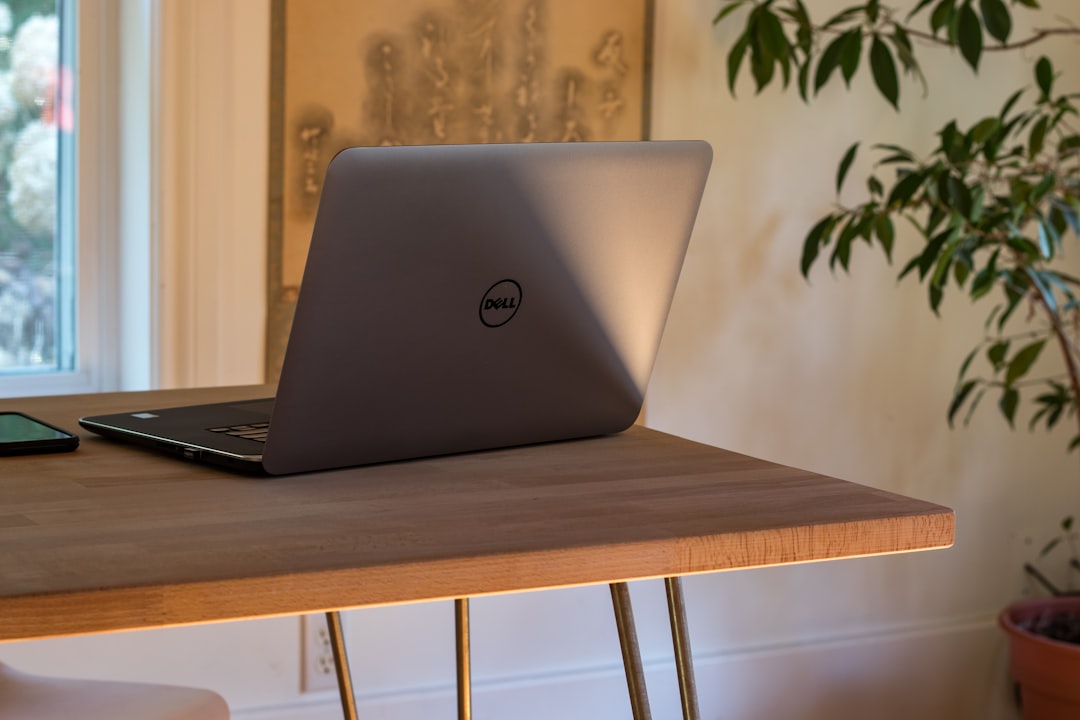
Best Laptops for Freelancers in 2026: Lightweight & Powerful
Disclosure: We earn a small commission if you buy through our links — at no extra cost to you.
Looking for the best laptops for freelancers? We tested and compared the top options based on performance, price, and real-world use — so you can stop second-guessing and start working smarter from anywhere.
The MacBook Air M3 delivers unmatched battery life, silent fanless operation, and enough processing muscle to handle design, writing, coding, and video editing without missing a beat.
Quick Picks:
• Best Overall: Apple MacBook Air M3
• Best Budget: Acer Swift Go 14
• Best for Professionals: Dell XPS 15
• Best Value: ASUS ZenBook 14 OLED
• Best Premium: LG Gram 16
Why Freelancers Need the Right Laptop
Your laptop isn’t just a tool — it’s your entire office. Whether you’re on a deadline at a coffee shop, hopping between client calls, or editing a 4K video at midnight, the wrong machine will cost you time, energy, and ultimately, money. A slow processor, dying battery, or heavy chassis can turn a productive day into a frustrating one. According to a 2024 Upwork report, over 59 million Americans freelance, and the vast majority rely on a personal laptop as their primary work device. That means your purchase decision directly affects your income.
The right laptop for freelancers needs to nail three things: portability (under 3.5 lbs is ideal), battery life (8+ hours minimum), and performance that matches your specific niche — whether that’s running Adobe Creative Suite, writing in Google Docs, or managing code in VS Code. Overspend on specs you don’t need, or underspend and hit a wall mid-project. This guide cuts through the noise and tells you exactly which machines are worth your money in 2026.
Also, be sure to check out our AI tools guides for freelancers — the right software paired with the right hardware is a game-changer.
Quick Comparison
| Product | Best For | Price Range | Our Rating |
|---|---|---|---|
| Apple MacBook Air M3 | Best Overall | $1,099–$1,299 | ⭐⭐⭐⭐⭐ 9.8/10 |
| Acer Swift Go 14 | Best Budget | $649–$799 | ⭐⭐⭐⭐ 8.6/10 |
| Dell XPS 15 | Best for Professionals | $1,299–$1,499 | ⭐⭐⭐⭐⭐ 9.4/10 |
| ASUS ZenBook 14 OLED | Best Value | $799–$999 | ⭐⭐⭐⭐ 9.1/10 |
| LG Gram 16 | Best Premium | $1,199–$1,450 | ⭐⭐⭐⭐⭐ 9.3/10 |
1. Apple MacBook Air M3 — Best Overall
The MacBook Air M3 is the gold standard for freelancers who demand silence, speed, and all-day battery in the lightest possible package.
Why it’s great:
- Apple’s M3 chip delivers blazing-fast CPU and GPU performance — handles 4K video exports, Figma, Lightroom, and heavy browser tabs without breaking a sweat
- Up to 18 hours of real-world battery life means you can leave your charger at home for a full workday
- Fanless, completely silent design at just 2.7 lbs — perfect for cafés, co-working spaces, and travel
Downsides:
- Premium price point — starts above $1,000, though it holds its value exceptionally well
- Only two Thunderbolt ports, which may require a hub for freelancers using multiple peripherals
Best for: Designers, writers, developers, and content creators who need a reliable all-rounder that never slows them down
Price range: $1,099–$1,299
👉 Check latest price & reviews on Amazon →
2. Acer Swift Go 14 — Best Budget
The Acer Swift Go 14 proves you don’t need to spend $1,000+ to get a genuinely capable freelance laptop with a premium feel.
Why it’s great:
- Intel Core Ultra 5 processor handles multitasking, video calls, document work, and light creative tasks with ease
- 2.8K OLED display with vivid color accuracy — a rare feature at this price point that’s a genuine upgrade for visual freelancers
- Slim and light at 2.87 lbs, plus solid build quality that doesn’t feel budget at all in hand
Downsides:
- Battery life averages around 8–9 hours — good, but not class-leading like the MacBook Air
- Integrated graphics won’t satisfy heavy video editors or 3D designers
Best for: Freelance writers, virtual assistants, online tutors, and anyone entering freelancing who needs a reliable daily driver without breaking the bank
Price range: $649–$799
👉 Check latest price & reviews on Amazon →
3. Dell XPS 15 — Best for Professionals
The Dell XPS 15 is the go-to powerhouse for freelancers whose work demands serious horsepower — think 4K editing, 3D rendering, and complex development environments.
Why it’s great:
- Intel Core i7/i9 paired with NVIDIA GeForce RTX 4060 GPU delivers desktop-class creative performance in a portable chassis
- 15.6-inch InfinityEdge OLED display with stunning color accuracy — makes photo and video work look exactly as intended
- Thunderbolt 4, USB-A, and SD card slot give freelancers all the connectivity they need without a hub
Downsides:
- Heavier at 4.2 lbs and thicker than ultrabooks — not the best option if you travel light every day
- Battery life under heavy load can dip to 5–6 hours, so keep a charger nearby on intense workdays
Best for: Freelance video editors, motion graphics artists, architects, and developers running resource-hungry applications daily
Price range: $1,299–$1,499
👉 Check latest price & reviews on Amazon →
4. ASUS ZenBook 14 OLED — Best Value
The ASUS ZenBook 14 OLED punches well above its price class with a gorgeous display, solid AMD performance, and a build that feels genuinely premium.
Why it’s great:
- AMD Ryzen 7 processor offers exceptional multi-core performance ideal for multitasking across client projects simultaneously
- 14-inch 2.8K OLED 120Hz display — the colors, contrast, and smoothness make it a joy to use for hours on end
- Under 3 lbs with all-day battery life up to 12 hours — a genuinely portable productivity machine
Downsides:
- Webcam quality is average — freelancers doing frequent video calls may want an external camera
- Speaker quality is decent but not impressive for multimedia-heavy workflows
Best for: Freelance marketers, bloggers, consultants, and designers who want OLED-quality visuals without paying MacBook prices
Price range: $799–$999
👉 Check latest price & reviews on Amazon →
5. LG Gram 16 — Best Premium
The LG Gram 16 is the ultimate laptop for freelancers who refuse to compromise between screen size and portability — it’s shockingly light for a 16-inch machine.
Why it’s great:
- Weighs just 2.8 lbs for a 16-inch laptop — practically unheard of, and a genuine advantage for digital nomads and frequent travelers
- Intel Evo platform with Core Ultra 7 ensures fast, responsive performance across creative and productivity tasks
- Military-grade MIL-STD-810H durability means it can handle the bumps and drops of a freelancer’s life on the road
Downsides:
- Integrated Intel Arc graphics won’t handle GPU-intensive creative work like dedicated GPU competitors
- Price is high for what you get spec-wise — you’re largely paying for that incredible weight-to-size ratio
Best for: Remote freelancers, digital nomads, and travel-heavy professionals who want a large screen without luggage weight penalties
Price range: $1,199–$1,450
👉 Check latest price & reviews on Amazon →
Final Recommendation
If you want the best overall performance → Apple MacBook Air M3 — it’s the most well-rounded freelance laptop money can buy in 2026, with battery life and performance that simply won’t let you down.
👉 Check latest price on Amazon →
If you’re on a budget → Acer Swift Go 14 — stunning OLED screen, capable processor, and a price tag that won’t eat into your freelance income.
How to Choose the Best Laptop for Freelancers
When choosing a laptop as a freelancer, consider these factors carefully before clicking buy:
- Performance: Match the processor and RAM to your actual workload. Writers and VAs can thrive on a Core i5 with 8GB RAM, while video editors and developers should prioritize a Core i7/Ryzen 7 with 16GB or more. Don’t overpay for power you won’t use — but don’t underbuy either.
- Budget: The $700–$1,000 range is the sweet spot for most freelancers. You get solid performance, good build quality, and features that will last 3–5 years without overspending on diminishing returns. If your work is your income, treat this as a business investment, not a consumer purchase.
- Durability: Freelancers travel, work from different environments, and put their machines through daily wear. Look for magnesium alloy or aluminum builds, MIL-SPEC ratings, and strong keyboard/hinge quality. A laptop that breaks in year two is never a bargain.
- Compatibility: Think about your full workflow — do you need USB-A ports for legacy devices, an SD card slot for camera work, or Thunderbolt for external displays? macOS works beautifully with Apple ecosystem tools, while Windows offers broader software compatibility. Pick the OS that matches how you actually work, not just what looks cool.
Frequently Asked Questions
What is the best laptop for freelancers under $800?
The Acer Swift Go 14 is our top pick
답글 남기기